


WOIO Cleveland 19 News
3.7658.00 Reviews
App Specs
- Version
- Varies with Device
- Updated On
- License
- Free
- Downloads
- 100,000+
- Developer
- Gray Media
- Categories
- News & Magazines
- Platform
- Android
Screenshots
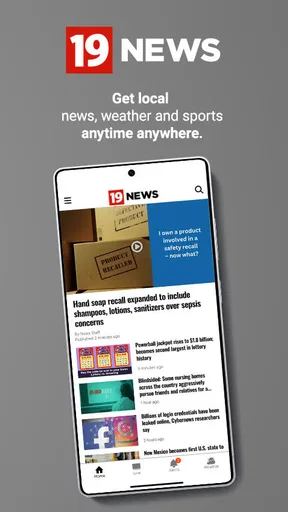
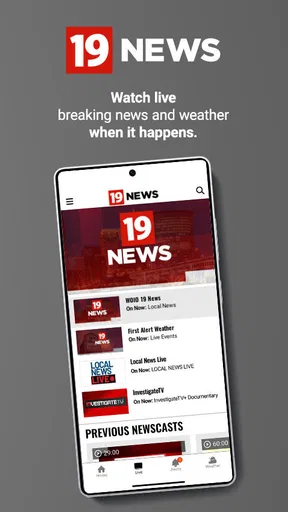

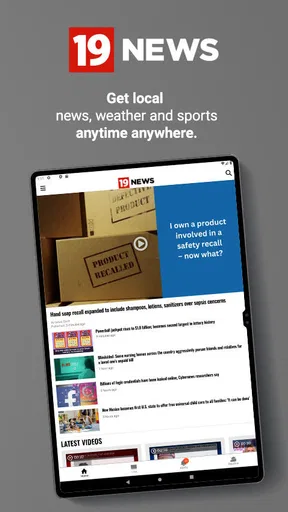
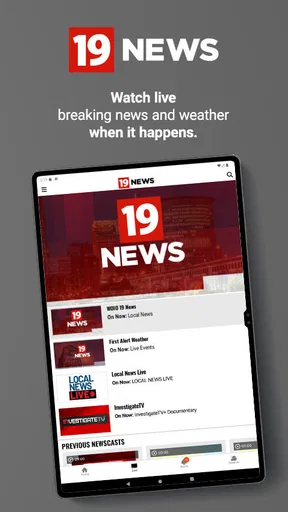

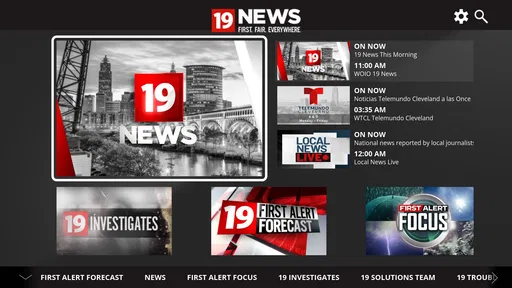
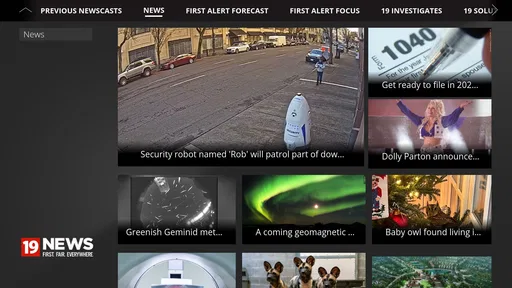
 Analysis by AppCompare
When I want Cleveland news without opening a full browser tab, WOIO Cleveland 19 News is the kind of app I reach for first. It is a free news and magazines app from Gray Media, built around local coverage, live viewing, and weather information for the Cleveland area. I like that its purpose is immediately clear: this is not trying to be a general national news reader or a social feed. It is meant to put the local station’s reporting and forecast in a convenient mobile format.
After spending time with it, my impression is practical rather than flashy. The app makes the most sense for Cleveland residents who want a quick way to check what is happening nearby, watch live news coverage, or look at the forecast before leaving home. It is available for everyone, has passed the hundred-thousand-install mark, and remains free to use. Those details make it easy to try, although the average score of 3.7 from roughly two thousand ratings suggests that the experience is useful but not perfect for every user.
How WOIO Cleveland 19 News fits into everyday local news use
The strongest part of the experience is its local focus. National news apps can tell me that a major story is developing, but they often lack the neighborhood context that matters when I am deciding whether to change my commute, postpone an errand, or pay attention to a local weather threat. This app is more relevant in those moments because its identity is tied to Cleveland rather than to a broad collection of unrelated headlines.
I can imagine using it on a normal weekday in a simple sequence. Before leaving for work, I would open the app to check the forecast. If there is a developing local story, I would move from the written coverage to the live news option instead of searching through several different services. Later, I might return to see whether the situation has changed. That combination of local reporting, live viewing, and weather makes the app more useful than a basic station homepage saved in a browser.
The live news element is especially valuable when a story is moving quickly. Written articles are better when I need to scan details at my own pace, but live coverage can provide a sense of timing and continuity that a single article cannot. I would not treat it as a replacement for every other source, but it is a convenient first stop when I want to know what the local station is covering right now.
The weather side also gives the app a clear daily role. Many people open a news app only when something dramatic happens, but a forecast is a reason to return even on a quiet day. For Cleveland users, that local forecast can be more useful than a generic national weather screen, particularly when conditions vary across the area or when a broader weather service buries the local details under too much information.
A focused alternative to national news aggregators
Compared with a national news aggregator, this app feels narrower in a good way. Aggregators are helpful when I want several viewpoints, international coverage, or a single place for many subjects. They can also become noisy, filling the screen with stories that have no effect on my day. WOIO Cleveland 19 News takes the opposite approach: it is more useful when location matters more than breadth.
Worth Reading Before You Choose

EA SPORTS FC Mobile 26 Is a Bigger Football Game, but It Takes Time

Flipboard Shows What News Apps Must Do Beyond the Feed

Switching to Android Auto Means Rethinking Your Driving Routine

Google Calendar Makes a Crowded Week Easier to Manage

Ludo King Makes the Most of the Minutes Between Plans

Baby Panda World Brings Quick Play to Modern Phones, but Its Game Library Feels Busy
Compared with visiting the station’s website in a mobile browser, an app can feel more direct. I do not have to remember the site address or work through a browser page designed for many screen sizes. The trade-off is that an app is one more item on my phone, and its value depends on whether I regularly need Cleveland-specific coverage. Someone who follows several cities or wants extensive national reporting may be happier with a broader news service.
It also occupies a different space from social media. Social platforms may surface local stories quickly, but the information can be mixed with speculation, reposts, and comments. A station app gives me a more deliberate place to check coverage. I still think it is sensible to compare important information with official local alerts when safety is involved, but I would rather begin with a dedicated local news source than rely on a post appearing in a crowded feed.
What the current app does well for local viewers
The app’s best quality is that the main reasons to open it are easy to understand. I do not need to learn a complex system before getting value from it. Local news, live coverage, and the Cleveland forecast form a straightforward routine, which is important on a phone where I may only have a minute to spare.
That simplicity is also helpful for people who are not enthusiastic about technology. A family member who mainly wants to see the local forecast or watch news coverage is less likely to feel lost in a specialized interface than in an app packed with personalization tools, unrelated channels, and endless menus. The everyone age rating reinforces that broad accessibility, although ease of use still depends on the phone and the way current content is presented.
Another practical strength is the ability to switch between quick information and longer viewing. If I only need to know whether the weather is changing, I do not have to commit to a full broadcast. If a major local event is unfolding, the live option gives me a more immediate format. That makes the app flexible without requiring me to install separate tools for news and weather.
The most useful habit is to treat it as a local check-in tool, not as my entire news universe. I would open it for Cleveland developments and the local forecast, then use another source when I need national context, extensive archives, or a wider range of perspectives. That division of labor keeps the app useful without expecting it to solve a problem it was not designed to solve.
What its release history tells me
This app has been available since July 14, 2011, which gives it a long history compared with many mobile news products. That matters because a station app has to remain relevant as phones, viewing habits, and expectations change. Its continued presence suggests that the basic idea—bringing WOIO Cleveland 19 News to a mobile audience—has remained worthwhile over time.
At the same time, a long release history does not automatically mean that every part of the current experience feels modern. Older apps often carry design decisions from earlier mobile eras, and local news applications can be particularly dependent on how their content systems are maintained. I would judge the current version by how quickly it gets me to the latest local story and forecast, rather than assuming longevity guarantees polish.
The developer is Gray Media, giving the app a clear connection to an established media organization rather than an anonymous news collector. That is relevant when I am deciding where to begin with local reporting. It does not mean every report will answer every question I have, but it does make the app’s editorial purpose easier to understand than a generic headline feed that gathers material from many unrelated sources.
There is also a useful distinction between the app’s original launch and its present role. A product released in the early smartphone era has had to adapt to users who now expect live content, fast updates, readable mobile pages, and convenient weather access. I can see the app as part of that broader evolution: the station is no longer limited to a television schedule or a desktop website. The phone becomes another place to follow local coverage throughout the day.
How changes affect people who already use it
For an existing user, the most important question is not whether the app has a long history but whether it still supports familiar routines. Someone who already depends on WOIO Cleveland 19 News for local updates should be able to think of the app as a companion to the station’s other formats rather than as a completely separate news source. The value is greatest when the phone provides access at times when turning on a television is inconvenient.
A commuter may use it differently from a retiree, a parent, or a student. A commuter might care most about a fast glance at local developments and weather before leaving. A parent may want to check conditions before school activities or travel. A person who watches local broadcasts regularly may use the live option when away from a television. These are not dramatic workflows, but they are exactly the small moments that determine whether a news app earns a permanent place on a phone.
My advice for returning users is to keep expectations realistic when moving between formats. A live broadcast is not the same as a written article, and a forecast screen is not a full explanation of every regional condition. I would use the written side for scanning and revisiting information, the live side for immediacy, and the weather side for planning. Separating those purposes prevents frustration when one format is not as convenient as another.
The rating history also gives existing users a useful signal. With an average of 3.7 across about two thousand ratings and several hundred written reviews, the app appears to have a mixed but substantial user base. I would not read that number as a verdict on a particular phone, because performance and layout can vary with device conditions and app updates. Still, it is a reminder to install it with a practical test in mind: can it reliably support the local-news routine I actually want?
Small workflows that make the app more worthwhile
One of my preferred workflows is to check the forecast before opening the news stream. It sounds minor, but it gives the session a purpose and helps me decide whether I need a quick glance or a longer look at developing coverage. If the forecast suggests difficult conditions, I can then pay closer attention to local reports instead of browsing aimlessly.
A second useful approach is to use the live feature selectively. I would not leave live news running simply as background noise when I only need one fact. I would choose it when timing and continuity matter, such as during a developing local event, and switch back to written coverage when I need to pause, scan, or find a specific detail. This avoids the common mistake of judging every news app by its live stream alone.
A third trade-off involves using the app as a first source and then widening the search only when necessary. For a Cleveland-specific question, starting locally saves time. For a national policy story, a travel issue outside the area, or a subject requiring multiple viewpoints, I would move to a broader service. That approach keeps the app from feeling limited because I am assigning it the job it handles best.
Finally, I would make the app part of a routine rather than waiting for a major alert or dramatic headline. Opening it at a consistent time makes the forecast and local reporting more useful together. The app is not necessarily at its best as an endless scrolling destination; it is better as a concise way to reconnect with what is happening around Cleveland.
Where the experience may still fall short
The narrow local focus can become a limitation. If I want one app for world news, business coverage, entertainment, technology, and Cleveland reporting, this is unlikely to be enough on its own. Its specialization is precisely what makes it useful for local viewers, but that same specialization means I may still need another app for broader interests.
Live viewing also brings a natural trade-off. It is more immediate than reading, but it requires more of my attention and may not be the quickest route to a single fact. When I am in a hurry, a written update is usually more efficient. When I want to follow an unfolding story, live coverage is more appropriate. The app works best when I choose the format deliberately instead of expecting one screen to serve every situation.
Another possible friction point is the difference between a station-centered presentation and the highly personalized feeds offered by large platforms. I may not get the same level of topic filtering or cross-source customization that I would find in a major aggregator. For me, that is acceptable because I value the local focus, but readers who want extensive control over every subject may find the experience less tailored.
The mixed rating is worth keeping in mind for the same reason. A free app is easy to test, but free does not mean frictionless. I would pay attention to how quickly content appears, how comfortable the text is to read, and whether the live viewing experience fits my connection and schedule. If those basics do not work well on my device, the app’s local relevance may not compensate for the inconvenience.
People outside the Cleveland area should probably skip it unless they have a specific connection to local coverage. The forecast and reporting are most valuable when I live, work, study, or regularly travel in the region. Someone looking for a general United States news app would be better served by a broader alternative, while someone who wants several local stations in one place may prefer an aggregator that covers multiple markets.
What I would watch as the app continues to evolve
Because the app has been around since 2011, I would pay attention to how Gray Media balances continuity with modern mobile expectations. The core purpose is already clear, so future value will depend less on adding unrelated extras and more on making the essential paths—local stories, live coverage, and weather—quick, readable, and dependable.
I would also watch how well the app connects different types of coverage. A strong local-news experience should help me move naturally from a developing story to the relevant written explanation and then to the forecast when weather is part of the situation. That kind of connection is more useful than simply adding more sections to the menu.
For current users, the practical test is simple: does the app save time compared with checking a browser, a television stream, and a separate weather service? If the answer is yes, its focused design is doing its job. If I find myself leaving immediately for other sources, then the app may be better as a backup than as my daily news hub.
My final view is positive, with clear boundaries. WOIO Cleveland 19 News is a sensible free choice for Cleveland residents who want local reporting, live news, and a nearby forecast in one place. I would recommend it to a friend who values regional coverage and prefers a direct station-based experience over a noisy national feed. I would not recommend relying on it alone for broad news or for every kind of emergency information, but as a focused local companion, it has a clear purpose and enough everyday usefulness to earn a place on the phone.
For me, the decision comes down to location and routine. If Cleveland news affects your day, the app is worth trying because it combines the three things most likely to bring you back: what is happening locally, what is being covered live, and what the weather may do next. If that local connection is missing, the same focus becomes a reason to choose something else.
Pros
- Fast access to breaking news from Northeast Ohio.
- Live local weather updates and severe-weather alerts.
- Video reports provide useful context beyond headlines.
- Covers local sports
- traffic
- and community stories.
- Simple navigation makes finding recent stories easy.
Cons
- Some stories may load slowly on weaker connections.
- Frequent notifications can feel excessive for some users.
- Advertising may interrupt browsing and video playback.
- Coverage is mainly local
- with limited national reporting.
- Some video content may require extra data when streamed.
FAQs for WOIO Cleveland 19 News
What is the WOIO Cleveland 19 News app used for?
The WOIO Cleveland 19 News app is designed to keep users informed about news in Cleveland, Northeast Ohio, and surrounding communities. It typically provides breaking news alerts, local and national stories, weather forecasts, live or on-demand video, traffic information, and coverage of sports and community events. It is especially useful for users who want quick updates while away from television or a desktop computer.
Does the WOIO Cleveland 19 News app provide live weather and severe weather alerts?
Yes, weather is one of the app’s main features. Users can generally check current conditions, hourly and extended forecasts, radar imagery, and video updates from the station’s meteorologists. Depending on location settings and notification permissions, the app may also send alerts about severe thunderstorms, tornadoes, winter weather, flooding, or other urgent conditions affecting Cleveland and nearby areas.
Can I watch WOIO Cleveland 19 News live through the app?
The app may offer live newscasts, breaking-news streams, special reports, or video clips, although availability can depend on the broadcast schedule, your location, internet connection, and the station’s current streaming rights. Some content may be available only on demand rather than continuously. Users should also expect occasional interruptions, especially during high-demand events or technical maintenance.
Is the WOIO Cleveland 19 News app free to download and use?
The WOIO Cleveland 19 News app is generally free to download from the official Android or iOS store. Most news articles, weather information, alerts, and selected videos can usually be accessed without a subscription. However, the app may contain advertising, sponsored content, or features that require an internet connection. Mobile-data charges can also apply when using cellular networks to stream video or receive updates.
What permissions and personal information does the WOIO Cleveland 19 News app require?
The app may request permission to send notifications, use your approximate or precise location for local weather and news, access network connectivity, and display media or advertising content. Location access is useful for personalized forecasts but may be disabled if you prefer greater privacy. Before installing, review the app-store privacy details and the developer’s policy to understand what data may be collected, shared, or retained.


